SQL stands for Structured Query Language. It is ANSI (American National Standards Institute).
Purpose: the main purpose of SQL is to communicate with the databases(here i use plural because there are many databases that use SQL for querying), for manipulating the data, deleting the data etc.
Almost all the SQL based databases have similar , in some cases same structure of query. Generally Query stands for asking or searching something. in the preform it is a doubt in certain cases. so to communicate and to retrieve data from the database we use query's that is questions to databases.
the SQL syntax's are very simple. there are some keywords used, they just look like speaking to database. the query language is just like English language. one can learn simply.
lets start with the SQL basic queries.
1. first one need to install Oracle Database. it requires a free registration in Oracle network. After signing in one must download entire database zip file.
2. for installation please go through installation guide.
3. when installing , make sure that user SCOTT is unlocked. because it provides some default tables, which are used for practice purpose. and all privileges are given to the user SCOTT(granting the roles, creating users etc are exception privileges),
lets start with the basic concept of the SQL.
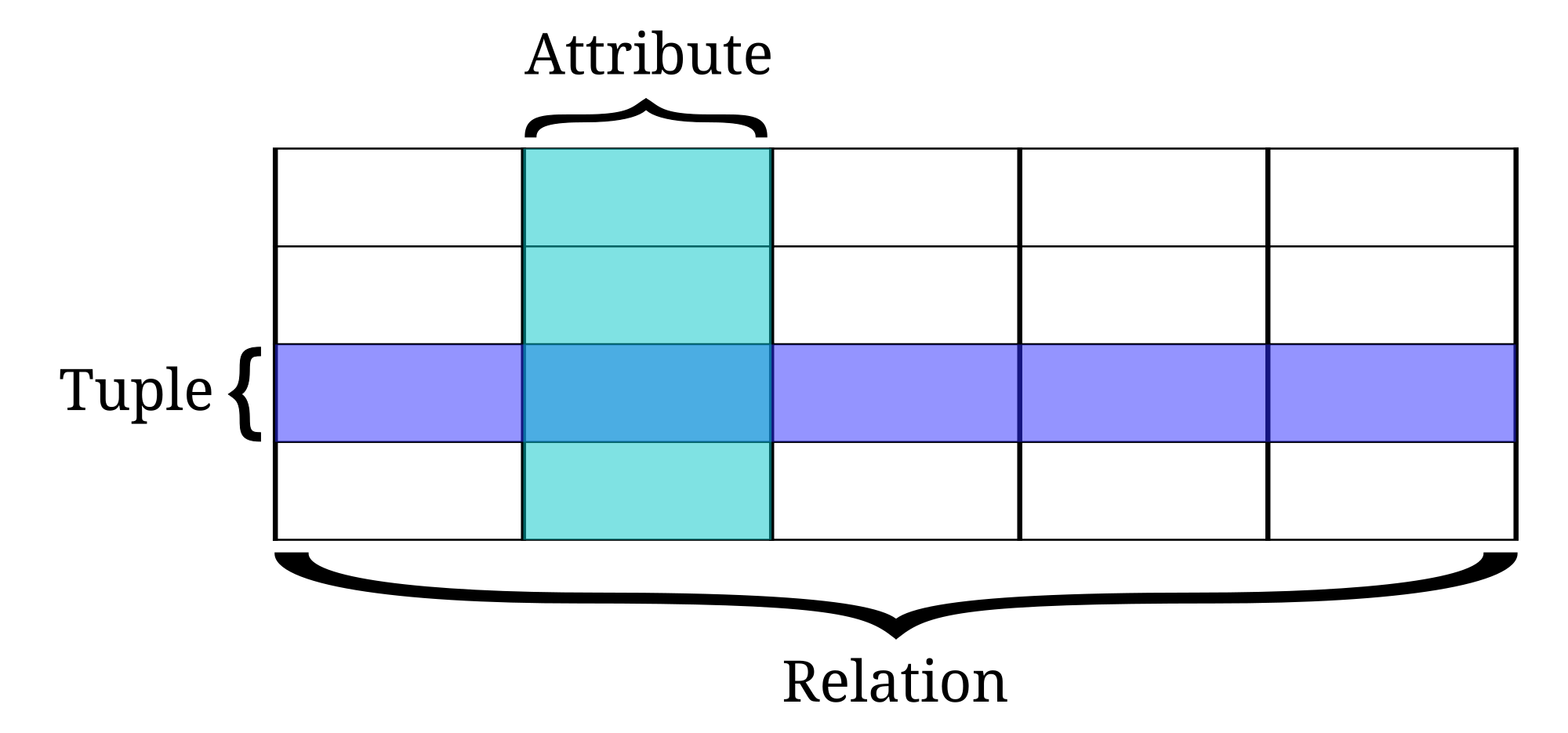
the data stored in the database is in the form of the tables which contains rows and columns. A row is a collection of columns and a table is a collection of rows. Rows are called as Tuples and columns are called as Attributes.
the basic syntax for creating the table is
Command: "create table table-name (attribute-1 attribute-type,attribute-2 attribute-type,........attribute-N attribute-type);"
Example : create table student_form
(
First_name varchar2(20),
Last_name varchar2(50),
Email varchar2(30),
Password varchar2(20),
Dob Date,
Address varchar2(50)
);
Note: SQL syntax is not case sensitive, only the data entered in the tables are case sensitive.
In order to know the description of the table, that is , column names and its types we use following commands.
Command : "desc table-name"
Explanation : here desc is a keyword. in place of desc we can also use describe. now i think the command is pretty clear of what it does. it describes the table
Example : desc student_form;
Note : here ";" is a delimiter. it is mandatory for the query's in SQL PLUS, but not in SQL Developer.
Purpose: the main purpose of SQL is to communicate with the databases(here i use plural because there are many databases that use SQL for querying), for manipulating the data, deleting the data etc.
Almost all the SQL based databases have similar , in some cases same structure of query. Generally Query stands for asking or searching something. in the preform it is a doubt in certain cases. so to communicate and to retrieve data from the database we use query's that is questions to databases.
the SQL syntax's are very simple. there are some keywords used, they just look like speaking to database. the query language is just like English language. one can learn simply.
lets start with the SQL basic queries.
1. first one need to install Oracle Database. it requires a free registration in Oracle network. After signing in one must download entire database zip file.
2. for installation please go through installation guide.
3. when installing , make sure that user SCOTT is unlocked. because it provides some default tables, which are used for practice purpose. and all privileges are given to the user SCOTT(granting the roles, creating users etc are exception privileges),
lets start with the basic concept of the SQL.
the data stored in the database is in the form of the tables which contains rows and columns. A row is a collection of columns and a table is a collection of rows. Rows are called as Tuples and columns are called as Attributes.
the basic syntax for creating the table is
Command: "create table table-name (attribute-1 attribute-type,attribute-2 attribute-type,........attribute-N attribute-type);"
Example : create table student_form
(
First_name varchar2(20),
Last_name varchar2(50),
Email varchar2(30),
Password varchar2(20),
Dob Date,
Address varchar2(50)
);
Note: SQL syntax is not case sensitive, only the data entered in the tables are case sensitive.
In order to know the description of the table, that is , column names and its types we use following commands.
Command : "desc table-name"
Explanation : here desc is a keyword. in place of desc we can also use describe. now i think the command is pretty clear of what it does. it describes the table
Example : desc student_form;
Note : here ";" is a delimiter. it is mandatory for the query's in SQL PLUS, but not in SQL Developer.

No comments:
Post a Comment